Halftime - Photo Watch Face1.31
Publisher Description
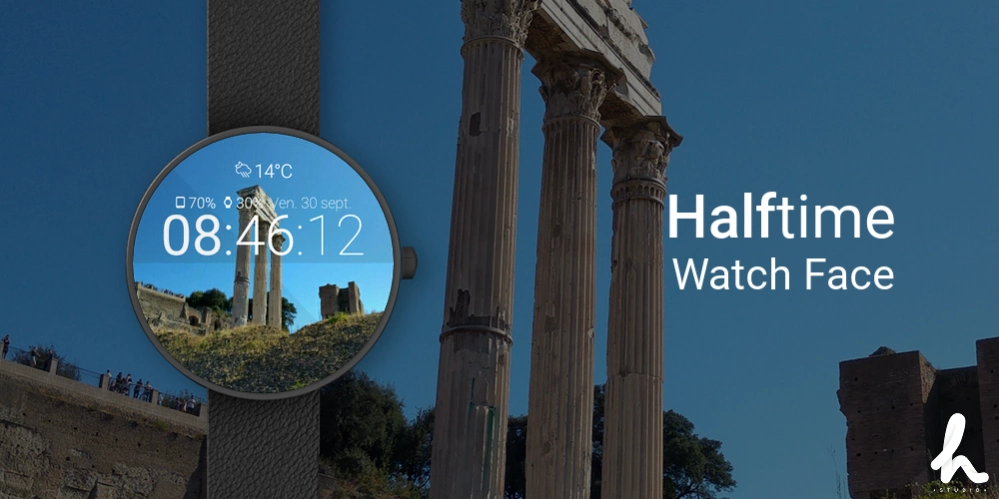
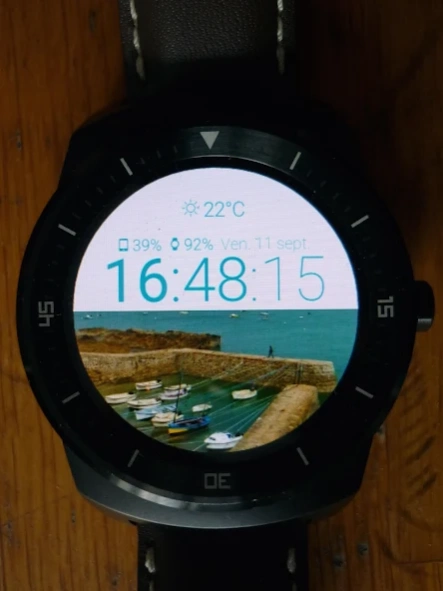
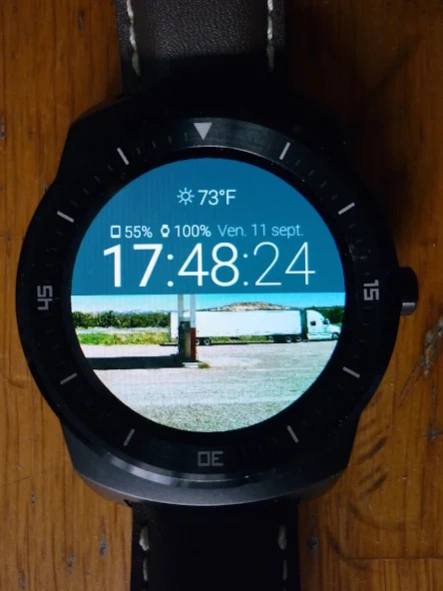
Halftime - Use one of your photo as background of this watch face
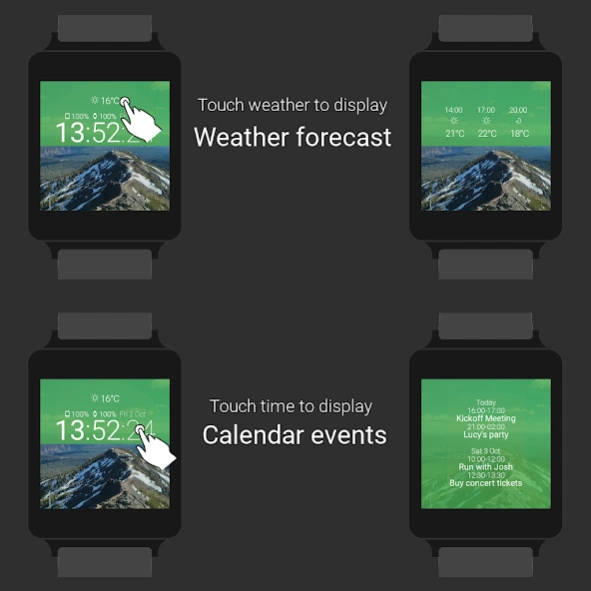
Interactivity :
★
Tap on weather data to display weather forecast
★
Tap on time to display upcoming calendar events
Features :
★
Use a photo from your gallery as background of your watch face
★ Grayscale photo in ambient mode
★ Current weather data
★ Steps counter
★ Choose color and opacity of the time panel
★ Choose text color
★ Optional Date indicator
★ Optional 12h clock
★ Optional leading zero
★ Phone battery level
★ Watch battery level
★ Ambient mode (low-bit and burn-in protection)
★ Choose ambient mode brightness
★ Choose active mode duration (from 5 seconds to 30 seconds)
Permissions :
- Coarse location : to get weather data at your position
- Internet : to get weather data from OpenWeatherMap
- Calendar : to display your upcoming events
- Storage : to choose and crop a photo
Requires Android Wear 5.0
Credits :
★ Android CropImage by Lorenzo Villani (https://github.com/lvillani/android-cropimage), licensed under the Apache License, Version 2.0 (http://www.apache.org/licenses/LICENSE-2.0)
★ ColorPicker library by Gabriele Mariotti (https://github.com/gabrielemariotti/colorpickercollection/blob/master/ColorPicker/README_CALENDAR.md), licensed under the Apache License, Version 2.0 (http://www.apache.org/licenses/LICENSE-2.0)
★ Material Icons (https://www.google.com/design/icons/) licensed under the CC BY 4.0 (https://creativecommons.org/licenses/by/4.0/)
★ Android Wear Flat Device Frame by Cyril Mottier (http://cyrilmottier.com/2014/07/31/android-wear-flat-device-frame/), licensed under the CC BY 3.0 (http://creativecommons.org/licenses/by/3.0/)
★ Weather data provided by OpenWeatherMap (http://openweathermap.org/)
★ Weather 7 Icon Font Set by Pixeden (http://themes-pixeden.com/font-demos/7-weather/index.html)
Created by Eric Plaquevent
About Halftime - Photo Watch Face
The company that develops Halftime - Photo Watch Face is The Hoodie Studio. The latest version released by its developer is 1.31.
To install Halftime - Photo Watch Face on your Android device, just click the green Continue To App button above to start the installation process. The app is listed on our website since 2021-11-11 and was downloaded 15 times. We have already checked if the download link is safe, however for your own protection we recommend that you scan the downloaded app with your antivirus. Your antivirus may detect the Halftime - Photo Watch Face as malware as malware if the download link to com.thehoodiestudio.halftimewatchface is broken.
How to install Halftime - Photo Watch Face on your Android device:
- Click on the Continue To App button on our website. This will redirect you to Google Play.
- Once the Halftime - Photo Watch Face is shown in the Google Play listing of your Android device, you can start its download and installation. Tap on the Install button located below the search bar and to the right of the app icon.
- A pop-up window with the permissions required by Halftime - Photo Watch Face will be shown. Click on Accept to continue the process.
- Halftime - Photo Watch Face will be downloaded onto your device, displaying a progress. Once the download completes, the installation will start and you'll get a notification after the installation is finished.
Program Details
System requirements
Download information
Pricing
Version History
version 1.31
posted on 2021-11-11
Fix crash due to Fit permissions
version 1.29
posted on 2021-11-01
Make it free
+ fix weather API calls
version 1.28
posted on 2020-04-16
Clean legacy
version 1.27
posted on 2019-11-01
Update target Android SDK
version 1.26
posted on 2019-02-16
Fix sync issue due to Google Fit.
version
posted on 2017-11-19
- package for Android Wear 2.0
version 1.19
posted on 2016-08-05
Halftime Watch Face is now a freemium app. If you bought the app and didn't get upgraded automatically to Premium : send me a mail to studiohoodie@gmail.com
